How to Set Effective Temperature Alert Thresholds for Cold Rooms
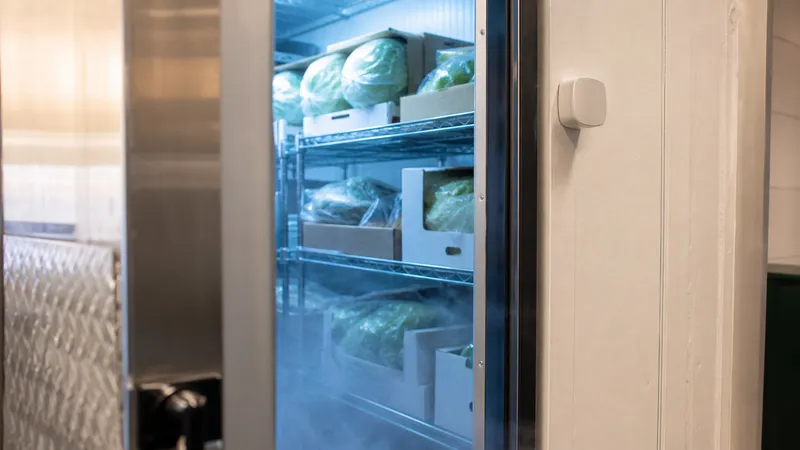
If you are setting up monitoring on a commercial cooler or freezer, the hardware is the easy part. Sensors mount in an hour, gateways come online quickly, the dashboard fills with data. The hard part starts a few days later, when you have to decide what counts as a problem and at what temperature the system should call somebody.
Pick a threshold that is too tight and the platform pages out every time the compressor cycles or a defrost runs. Pick one that is too loose and a real failure has hours to grow before the alert fires. Most monitoring systems fail in practice not because the technology breaks but because the thresholds get set wrong, alerts get muted, and the whole thing becomes background noise.
This article walks through how to think about threshold settings for cold rooms, the variables that should shape them, the alert strategies that work in real operations, and a few practical starting points for common applications. Thresholds matter most when they protect against walk-in cooler failure, after-hours compressor failure, and breaks in cold chain integrity.
This article is operational guidance for cold storage operators. It is not legal or food-safety advice. Consult the CFIA, Health Canada, or a qualified food-safety advisor for thresholds specific to your products and regulatory requirements.
Why threshold values matter more than the sensor
Two operations can run identical monitoring hardware and have completely different outcomes. The one that catches problems early has thresholds that match the way the equipment actually behaves and the way the food actually fails. The one that misses problems either set the limits too loose to begin with, or set them too tight and slowly raised them every time someone got woken up at 3 AM.
The right threshold sits in a narrow band. Below it, the alert is meaningful and worth responding to. Above it, the alert is noise. Finding that band requires knowing a few things about the room, the product, and the equipment.
The variables that should shape your thresholds
Threshold settings are not a single number you copy from a manual. They are a small set of choices that depend on what is in the room and how the room runs.
Target temperature and product tolerance. The setpoint is your starting reference, but product sensitivity matters at least as much. Leafy greens held at 0 to 2°C have very little headroom before quality drops. Apples and root vegetables tolerate 0 to 4°C and recover from brief excursions. Frozen product held at -18°C is generally safe up to roughly -12°C for short windows but quality degrades quickly above that. Pharma and vaccine storage operates inside a much tighter band than food and is governed by separate rules.
Normal cycling range. A cooler does not sit at a flat temperature. Compressors cycle on and off, doors open during a busy afternoon, and a defrost cycle runs the evaporator several degrees warmer for ten to thirty minutes a few times a day. If you set your alert at 1°C above setpoint without understanding the normal swing, you will be paged on every routine cycle.
Inspection and PCP requirements. If you operate under the Safe Food for Canadians Regulations with a written Preventive Control Plan that covers temperature, the critical limits in your PCP set the maximum allowable excursion, so alert thresholds should be tighter than that limit to give you response time before you hit it. Health Canada describes 4°C as the upper edge of safe refrigerated storage, and many food operations build their thresholds around that.
Insurance and contractual language. Some product insurance policies and customer contracts spell out specific temperature limits and the duration product can be outside them. If you have one of these, your thresholds should match. The numbers in those documents become your operational limits whether you like them or not.
Threshold strategies that work in practice
Most monitoring platforms support more than just a fixed maximum and minimum. The strategies below can be used on their own or combined, and the right choice depends on how the cooler behaves and what failures you are trying to catch.
Simple max/min. A single high and low threshold, with an alert that fires the moment a reading crosses the line. This is the easiest to configure and the easiest to misuse. It works well for freezers and rooms with stable, narrow cycling, and works poorly on coolers that defrost frequently or see heavy door traffic.
Sustained-threshold alerts. The reading has to stay above (or below) the limit for a defined window, typically fifteen to forty-five minutes, before the alert fires. This filters out the routine cycling and defrost-related spikes that would otherwise spam an SMS list. The trade-off is that you delay notification by the length of the window, so the window should be shorter than the time it takes for product to become unsafe.
Rate-of-rise alerts. An alert that fires if the temperature climbs by a defined amount within a defined period, for example a rise of 5°C in one hour. Rate-of-rise can catch a real failure earlier than a fixed setpoint because a true compressor or evaporator failure shows a steady climb, while normal cycling shows a sawtooth. This strategy pairs well with a higher absolute threshold acting as a backstop.
Defrost-aware suppression. Most commercial walk-ins run scheduled defrost cycles at consistent times. A defrost-aware threshold either raises the limit during those windows or suppresses alerts entirely for the known cycle duration. This is one of the most effective ways to cut nuisance alerts without giving up sensitivity, and it requires only that the defrost schedule actually be documented and consistent. Build in a recovery backstop: after the suppression window ends, the system should still alert if the room has not returned to normal within the expected post-defrost window, if the temperature continues rising, or if a hard maximum is crossed at any point during the defrost itself.
Tiered warning and critical alerts. A warning level that emails the team and a critical level that pages by SMS, with the critical threshold reserved for readings that are genuinely concerning. Tiering gives staff visibility into developing problems without creating nuisance alerts and reserves the page-everybody alert for situations that warrant it.
Practical starting points by application
Every operation is different, and the numbers below are starting points, not prescriptions. Adjust based on your product, your PCP, and the behaviour you actually observe over the first few weeks of monitoring.
Walk-in cooler, food service or small grocery. Setpoint of 2 to 4°C, with a warning at 5°C and a critical alert at 7°C. Use a sustained-threshold window of fifteen to twenty minutes on the warning level and five to ten minutes on the critical level. Suppress alerts during scheduled defrost cycles if your unit defrosts on a timer.
Walk-in freezer. Setpoint of -18°C, with a warning at -15°C and a critical alert at -12°C. Freezers cycle less aggressively than coolers but defrost cycles can still swing the air temperature several degrees, so use a sustained-threshold window of thirty to sixty minutes on the warning level. A rate-of-rise alert at 4°C per hour adds early-warning value. For high-value or sensitive frozen product, consider tighter sustained windows or pair with rate-of-rise alerts and product-temperature context.
Farm cold store for fresh produce. Setpoint based on the crop. For apples, pears, and root vegetables, 0 to 4°C with a warning at 5°C and a critical at 7°C. For more sensitive crops like leafy greens or berries, tighten the warning to within 1 to 2°C of setpoint and add a low alert to catch freezing risk.
Pharma or vaccine refrigeration. Setpoint of 2 to 8°C, with very tight alert thresholds, often within 1°C of either end of the range. Vaccine storage in Canada is generally governed by Public Health Agency of Canada guidance and the Canadian Immunization Guide, with provincial and territorial public health authorities setting program-specific requirements you are likely to be audited against. Use redundant sensors and document everything.
Where people get it wrong
The most common threshold mistake is the one that is hardest to fix later. After a few false alerts in the first week, an operator widens the band by a couple of degrees, then a couple more, until the alert that finally fires is for a cooler that has been out of range for hours.
A second common mistake is setting the high threshold based on what the cooler usually does, not on what the product can tolerate. The cooler may regularly drift to 5°C on a hot afternoon without anyone caring, but if your insurance language says product must stay below 4°C, your warning thresholds should provide enough lead time to act before that contractual or PCP limit is exceeded, regardless of how often the unit gets there on its own.
A third is forgetting that the low threshold matters. Coolers can ice up, defrost heaters can fail in the on position, and a cooler set to 2°C can freeze sensitive product if the controller drifts. A low alert at 0°C catches that.
The honest version of the alert fatigue problem is that the people setting the thresholds and the people responding to the alerts are often not the same. Whoever sets the limits should sit with the night manager and the kitchen lead and ask what an alert at 2 AM actually triggers, and what a false alert does to their willingness to act on the next one.
Practical next steps
If you are setting up monitoring or revisiting thresholds on an existing system, a few concrete steps make the difference between a tool that works and a tool that gets muted.
Watch the data before setting the alert. Run sensors for one to two weeks in passive mode and see what the cooler actually does. Note the high points during defrost, the recovery times after door openings, and the floor between cycles.
Set the threshold to product tolerance first, equipment behaviour second. Start from what the product can take and work backwards to find a limit that gives you useful warning. Then check whether the cooler can actually hold inside that limit. If it cannot, the cooler is the problem, not the threshold.
Use sustained windows and tiered alerts. A warning that emails and a critical that pages, with sustained windows on both, will outperform a single page-everybody trigger almost every time.
Test the alert path end to end. Briefly warm a sensor or use the platform's test feature and confirm the page actually reaches whoever is supposed to respond. Run that test every few months.
Review thresholds after the first real alert. Whether the alert was a true positive or a false alarm, that is the moment to look at the data, see what the cooler actually did, and adjust the threshold up or down based on evidence rather than guesswork.
A good threshold setup is invisible most of the time. It does not page on routine behaviour and it does page on real problems, and over time the team comes to trust it. That trust is the whole point. A monitoring system the team trusts is a system the team will respond to.
Storage Sentry is a wireless monitoring platform purpose-built for Canadian agricultural and cold storage operations. Configurable thresholds, sustained-window logic, tiered warning and critical alerts, and SMS and email escalation help operators catch real failures without the noise. Learn how Storage Sentry can help.
References
-
Health Canada. "Food Safety and You." canada.ca
-
Canadian Food Inspection Agency. "Preventive control plans for food businesses." inspection.canada.ca
-
Canadian Food Inspection Agency. "Guide for Preparing a Preventive Control Plan." inspection.canada.ca
-
Public Health Agency of Canada. "National Vaccine Storage and Handling Guidelines for Immunization Providers." canada.ca